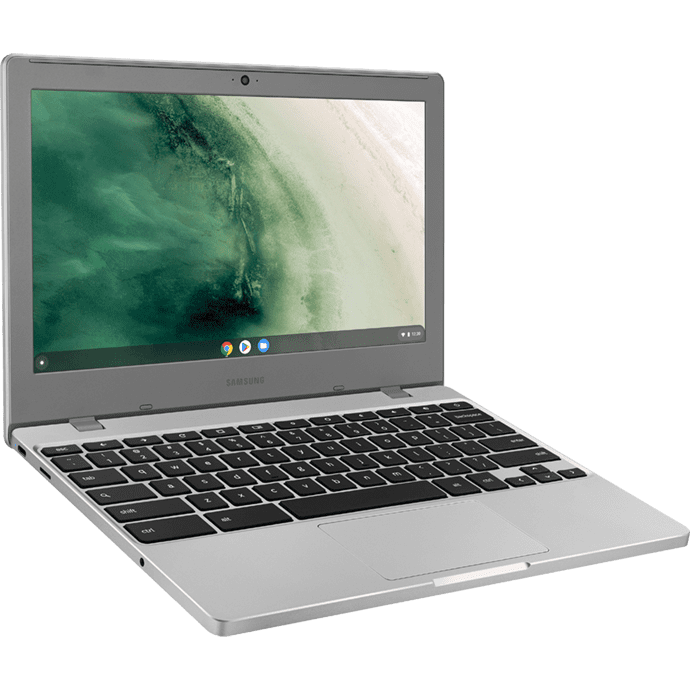
When Chromebooks were first introduced in 2011, they were quickly dismissed for their limited functions and constant reliance on an internet connection. ChromeOS turned 10 years old last year and today’s Chromebooks are far from where they started. They’ve developed considerably since their inception and are now quite a few compelling options on the market.
So, should you be using a Chromebook or laptop for work?
In order to fully answer this question, you need to take a look at each of the aspects that make up a laptop and whether they are optimised to suit your needs.
Hardware
If you’re unfamiliar with Chromebooks, ChromeOS is a lightweight operating system created by Google that is based around the Chrome application and other web-based processes. You won’t have to worry about any bloatware on your laptop taking unnecessary storage space like on a Windows or Mac, which means that Chromebooks will often run a lot faster from startup. This does mean, however, that you won’t be able to run all of your usual legacy programmes on a Chromebook, including design software such as Adobe Creative Cloud.
Interface
Whilst Chromebooks offer a simpler and more straightforward interface than Windows 10, they’re not as polished for multitasking. Windows has a more optimised interface with the taskbar, notifications and start menu easily accessible whilst a Chromebook’s design may take the average user some time to get used to. Both, however, are great for working in side-by-side windows for then you need to see multiple pages.
Apps and Software
If you want your laptop to be fully functional, you’ll probably want some basic programmes – productivity, photo editing, video & music playback and a browser. The good news is this is possible with both Windows laptops and Chromebooks. With all their developments, ChromeOS devices now offer numerous Android apps through the Google Play Store (approximately 2,800,000 apps) as well as thousands on the Chrome Web Store, meaning you no longer have to operate through just the Chrome browser and can find applications to support most functionalities.
Web Browsing
Chrome itself is a great browser that offers strong performance, a clean and easy-to-use interface, and the option for a number of extensions. And as long as you’re happy with Chrome, a Chromebook won’t be an issue. But if you’re looking to use an alternate browser, you’ll find yourself tough out of luck.
And whilst you may occasionally run into compatibility problems on certain websites due to important plugins missing, this shouldn’t be too much of an issue in general usage.
On the other hand, Windows 10 can also run Chrome, along with pretty much every other web browser ever made, giving you the flexibility to surf the internet exactly how you want to. Microsoft’s new browser, Edge, also has some handy features not found in Chrome, such as the ability to write directly on websites and send those notes and scribbles to colleagues; and a reading mode that removes distracting elements like ads and saves articles so they can be viewed offline.
File Management
The main drawback for Chromebook users is the small amount of space that’s likely on your machine’s hard drive. As ChromeOS is mostly cloud, or browser, based, there is little need for larger storage options, hence why you may find limited space on the device itself. However, files can be stored on Google Drive to avoid taking up unnecessary space and still maintain accessibility.
Productivity
Windows laptops are often the standard for business-friendly operating systems as their capability means that they can handle almost all necessary software and programmes. This includes Microsoft’s own suite of Office applications for productivity. On Chromebooks, you can still access Word, Excel, Powerpoint, etc. but – unless your Chromebook allows Android apps – they’ll be Microsoft’s web-only versions running through your browser and you’ll need to be online to use them.
Google Drive, on the other hand, and its suite of productivity counterparts – Google Docs, Google Slides, etc. – work offline. The real-time collaborative editing and useful add-ons available mean that it holds its own against Office Suite.
Security
One of the best features of a Chromebook is Google’s approach to updates and security. Everything happens in the background. Chromebooks automatically check for security updates and apply them when necessary – this also includes Web Filters and Sandboxing media. Whilst they may need to be rebooted occasionally for updates, the process is quicker and less intrusive.
Plus with ChromeOS based mainly in the cloud, if someone gets access to your laptop, restoring it to factory settings is as easy as a couple of clicks. The only real security issue that Chromebook owners face is thieves looking to hack the website that you would use, where there’s potentially a lot of personal data stored.
Value
Price is one of the things that makes Chromebooks so attractive. While premium models start at around £500, you can find excellent options for everyday use for £200 to £300. Chromebooks are often priced considerably cheaper than their Windows counterparts which makes them great value for money if you’re looking for something simpler.
If you’re comfortable living in the cloud and want to get work done in a secure yet simple environment, a Chromebook will probably suit you nicely, like the Samsung Chromebook 4+. However, if you need power and versatility, Windows 10 will remain your best bet, the Samsung Galaxy Book Pro 360 combines the best of a laptop and a tablet into one, with all the power of Windows.


